





Single-Colour vs Full-Colour Onsite Printing: Which is Right for Your Event?
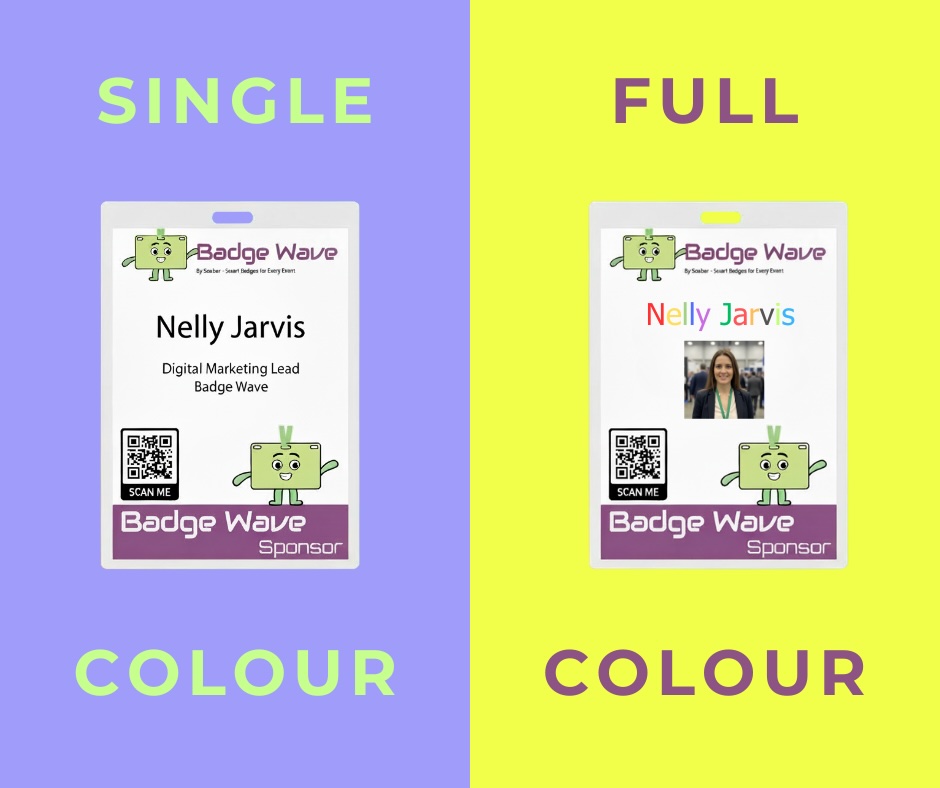
When you order tickets through our website, you'll receive beautifully designed full-colour tickets ready to be personalised. The key decision you'll need to make is how to print the variable information onsite—such as attendee names, seat numbers, and access codes. Should you opt for simple single-colour (monochrome) printing, or invest in full-colour printing capabilities?
Let's explore the pros and cons of each approach to help you make the best choice for your event.
Single-Colour (Monochrome) Onsite Printing
Single-colour, direct thermal printing typically uses black ink to add variable information to your pre-printed full-colour tickets. The best machine for over-printing variable data in a single colour is the Zebra ZD62, which is the perfect lower-cost, high-quality direct thermal option for most events.
Pros
Cost-effective equipment and consumables. Monochrome printers are significantly cheaper to purchase than colour printers, and replacement toner or ink cartridges cost substantially less. For high-volume events, this can translate to considerable savings over time.
Faster printing speeds. Single-colour printers generally operate faster than their colour counterparts, which means shorter queues at registration desks and quicker processing during busy periods. This speed advantage becomes particularly valuable during peak arrival times.
Lower maintenance requirements. With fewer moving parts and simpler mechanisms, monochrome printers typically require less frequent servicing and are less prone to technical issues. This reliability is crucial when you're managing attendee check-in under time pressure.
Professional appearance. Since your base tickets are already full-colour and professionally designed, adding black text for variable information maintains a clean, business-like aesthetic that many attendees expect.
Easier troubleshooting. When issues do arise, monochrome printers are generally simpler to diagnose and fix, which matters when you're working against the clock at an event.
Cons
Limited visual impact for variable data. If you want to use colour coding for different ticket types, access levels, or time slots in the printed information, you won't have that option with monochrome printing.
Less flexibility for branding. Some organisations prefer to add colour logos or branding elements as part of the variable printing process, which isn't possible with single-colour systems.
Potential aesthetic mismatch. In some cases, stark black text on a vibrant full-colour ticket design might create a visual disconnect, particularly if your brand identity relies heavily on specific colour schemes.
Full-Colour Onsite Printing
Full-colour printing allows you to add variable information using the complete colour spectrum. A printer such as the Epson C4000 Inkjet printer is the perfect space saving, high quality and reliable option for the job.
Pros
Enhanced visual customisation. You can use colour coding to instantly differentiate between VIP tickets, general admission, different days of multi-day events, or various access zones. This makes it easier for both staff and attendees to quickly identify ticket types at a glance.
Complete brand consistency. If your variable information needs to include company logos, sponsor branding, or colour-matched text, full-colour printing ensures everything aligns perfectly with your brand guidelines.
Additional design opportunities. You can incorporate coloured QR codes, graphics, or even personalised elements like attendee photos in full colour, creating a more premium ticket experience.
Greater flexibility for last-minute changes. If you need to add colour-coded warnings, special instructions, or promotional elements to certain ticket batches, you have the freedom to do so.
Cons
Higher upfront investment. Quality colour printers suitable for ticket printing represent a significantly larger capital expenditure than monochrome alternatives. This can be prohibitive for smaller events or organisations with limited budgets.
Increased running costs. Colour cartridges or toner are considerably more expensive than black-only consumables, and they tend to run out more quickly. These ongoing costs can add up substantially for high-volume events.
Slower printing speeds. Colour printers generally take longer to produce each ticket, which can create bottlenecks during check-in if you're processing large numbers of attendees simultaneously.
More complex maintenance. Colour printers have more intricate mechanisms and multiple ink or toner systems, leading to more frequent servicing requirements and a higher likelihood of technical issues during events.
Overkill for many applications. In many cases, the additional visual information that colour provides isn't necessary—black text is perfectly adequate for printing names, seat numbers, and confirmation codes.
Making Your Decision
For most event organisers, single-colour onsite printing offers the best balance of cost, speed, and reliability. Since your tickets already arrive in full colour with professional designs, adding variable information in black maintains a polished appearance while keeping operations simple and efficient.
However, full-colour printing makes sense if your events require colour coding for complex access systems, if brand consistency demands colour-matched elements throughout, or if you're creating premium experiences where every detail matters.
Consider your specific needs: the size and frequency of your events, your budget for equipment and consumables, the complexity of your access control systems, and how important visual differentiation is for your operations. The right choice depends on balancing these factors against the practical realities of managing onsite registration.
Whichever option you choose, our full-colour pre-printed tickets provide the professional foundation you need, ensuring your attendees receive high-quality credentials that represent your event beautifully.

- February 25, 2026

FAQS
Frequently Asked Questions
This will depend on what you want to print onto your badges on the day of your event. Our thermal tickets are designed to be printed on the Zebra range of printers, namely the ZD621 and GK420D. These printers will print your data and text in a single colour. Our Inkjet tickets are designed to be printed on the Epson C3500 and C4000 range of printers, which both allow for full-colour on the day printing.
Direct thermal technology uses a heat-sensitive coating to create clear, high-quality text or images from a single-colour printer, offering a simple and efficient printing solution without the need for ink or toner. Our Inkjet material is specially coated to allow a CMYK print process in full colour.
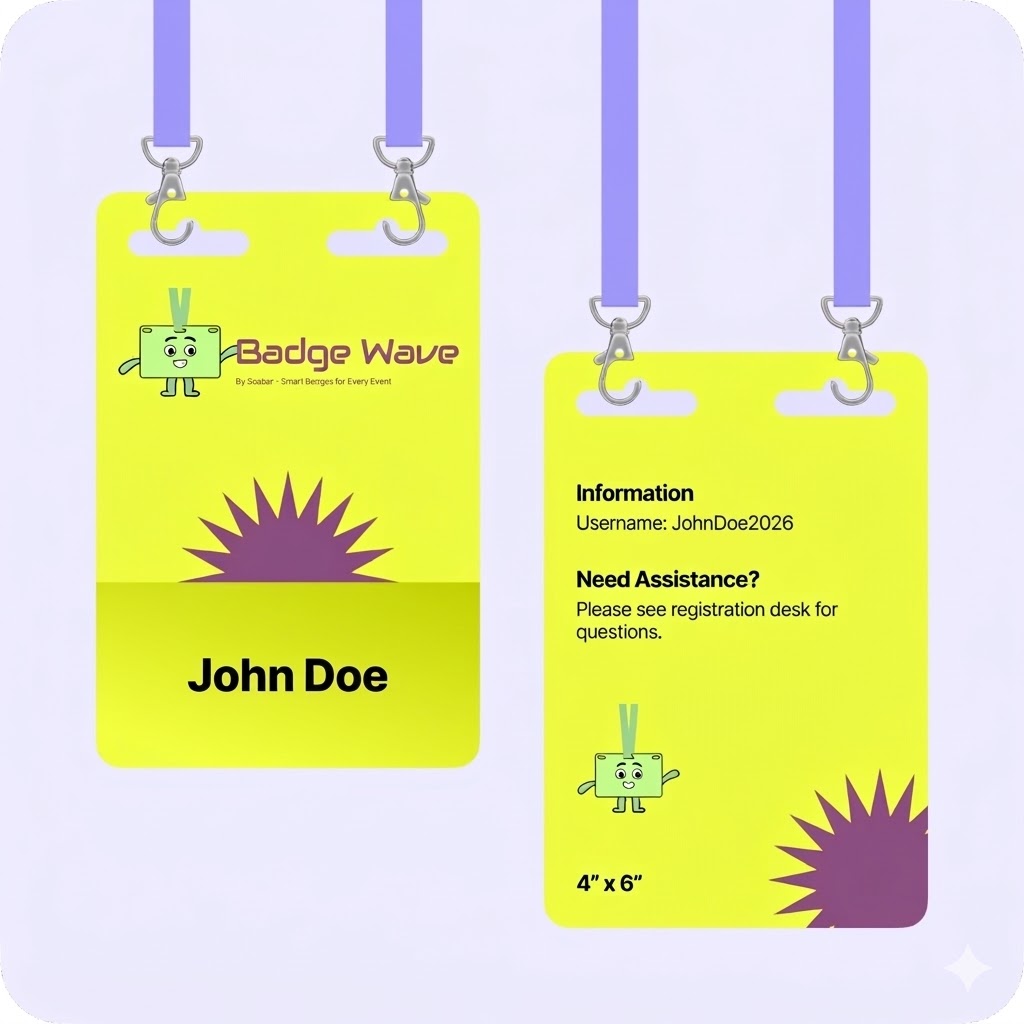
Typically, our on-site printers will accept any badge width up to a 4” wide. The most common size for an event badge is 4” x 12”, which folds to 4” x 6” double sided.
You can view our artwork requirements on the downloadable, editable templates on each product page.
Yes this is possible! We would just need a good understanding of your event, your branding guidelines, what is required to be printed on the badge and the logo(s) that you wish to feature. Email us at: BadgeWave@soabar.co.uk