




How Do Printed Event Passes Work with On-Site Check-In?
A printed event pass is usually the final step in an on-site registration journey. The attendee arrives, their booking is found or scanned, their registration is confirmed and a printer produces a named pass. Staff then hand over the pass, often with a lanyard, before directing the attendee to the right entrance. The important distinction is that printing the pass is not the same as checking someone in: the registration system controls the attendee record, while the printer makes the physical credential.
For conferences and exhibitions using custom event badges, this approach avoids sorting thousands of names at the desk and gives the team a practical way to handle late bookings, changes and replacements.

The on-site check-in journey, from arrival to handover
1. Identify the attendee
A host scans a registration email or QR code, or searches by name and company. The registration platform needs to show the correct record and status. A QR code on a booking confirmation is a lookup tool; it is not necessarily the same code that will be printed on the event pass.

2. Confirm the correct pass type
Before pressing Print, staff check the attendee category, event date and any verified access permissions. A speaker may need a different visible category from an exhibitor; an access credential should only reflect permissions assigned in the registration system. Print a clear role label rather than expecting security to interpret a colour alone.
3. Send variable details to the printer
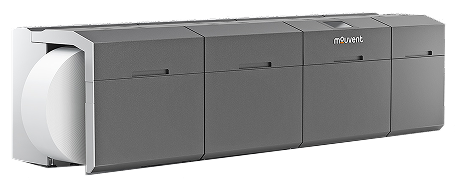
The approved badge template holds the logo and layout. Data fields such as name, organisation, role and a unique identifier are inserted from the attendee record. A Zebra ZD621 badge printer is suited to single-colour variable details on compatible direct thermal stock. Colour artwork can be printed in advance on the badge shell, then personalised in black at check-in. For on-demand full-colour fields or changing coloured role bands, organisers can assess the inkjet printers and compatible media.
4. Finish and issue the pass
Staff confirm that the name, role and code are legible, then attach a lanyard or prepare the specified fold-over construction. The person is directed to the relevant hall or lane. Where the event uses controlled access or exhibitor lead capture, the printed QR code must be tested against the actual scanning platform; the badge alone does not provide those systems.
What needs to be connected before the doors open?
The check-in computer or tablet, registration software, printer driver, correct badge template and printer media must work as one chain. Not every platform has the same printer integrations, so check compatibility with the event software supplier before buying hardware. A sample print from a design programme is not enough: test an actual attendee record moving from the registration platform to the printed pass.
Run at least four trials: a normal registration, a walk-in, a changed attendee category and a lost-pass reprint. If identifiers or QR codes are regenerated for replacements, the event platform must define what happens to the earlier credential.
How to keep queues moving at peak arrival times
Queue length depends on the whole transaction, not just rated printer speed. Searching for an attendee, resolving payment or checking access rights can take longer than printing. Direct straightforward guests into an express lane; send name corrections, walk-ins and registration disputes to a support desk away from the main flow.
Estimate capacity from an observed rehearsal: time ten realistic check-ins, calculate the average end-to-end seconds per person and allow capacity for peaks, errors and breaks. Avoid promising a fixed number of passes per hour based only on the printer's specification. A spare compatible printer, approved blank stock, spare power supplies and a written fallback process matter more than an optimistic throughput claim.
Badge Wave's event registration desk guide covers desk layout and contingency planning; the event badge range helps you match pre-printed or blank media to the chosen workflow.
Pre-printed shells or fully printed passes?
Choose pre-printed shells when the branding is fixed and the venue team mainly needs to add names and QR codes. Choose a suitable full-colour on-demand workflow when attendee photographs, category graphics or multiple changing designs must be produced on site. Either route still needs careful stock selection and a tested data connection. If every attendee is confirmed well ahead of the event, a fully personalised print run may reduce the on-site work altogether, but you will still need a policy for replacements.
No. The registration or ticketing platform must update the attendee's check-in status; the printer simply outputs the physical pass.
Yes, if the registration platform supports creating a record on site and can send its details to the selected printer and template.
No. Codes and permission rules must be compatible with the event's check-in or lead retrieval software, and tested before the event.
Tell us the expected attendance, arrival window, registration platform, attendee categories and whether you need single-colour or full-colour printing. We can help identify suitable badge stock and hardware. Discuss your event printing requirements before approving artwork or ordering media.