





When to Buy a Full-Colour Badge Printer for Your Events
Choosing the right event badge printer usually comes down to a single question: do you stick with a budget-friendly Direct Thermal printer, or invest in a full-colour machine?
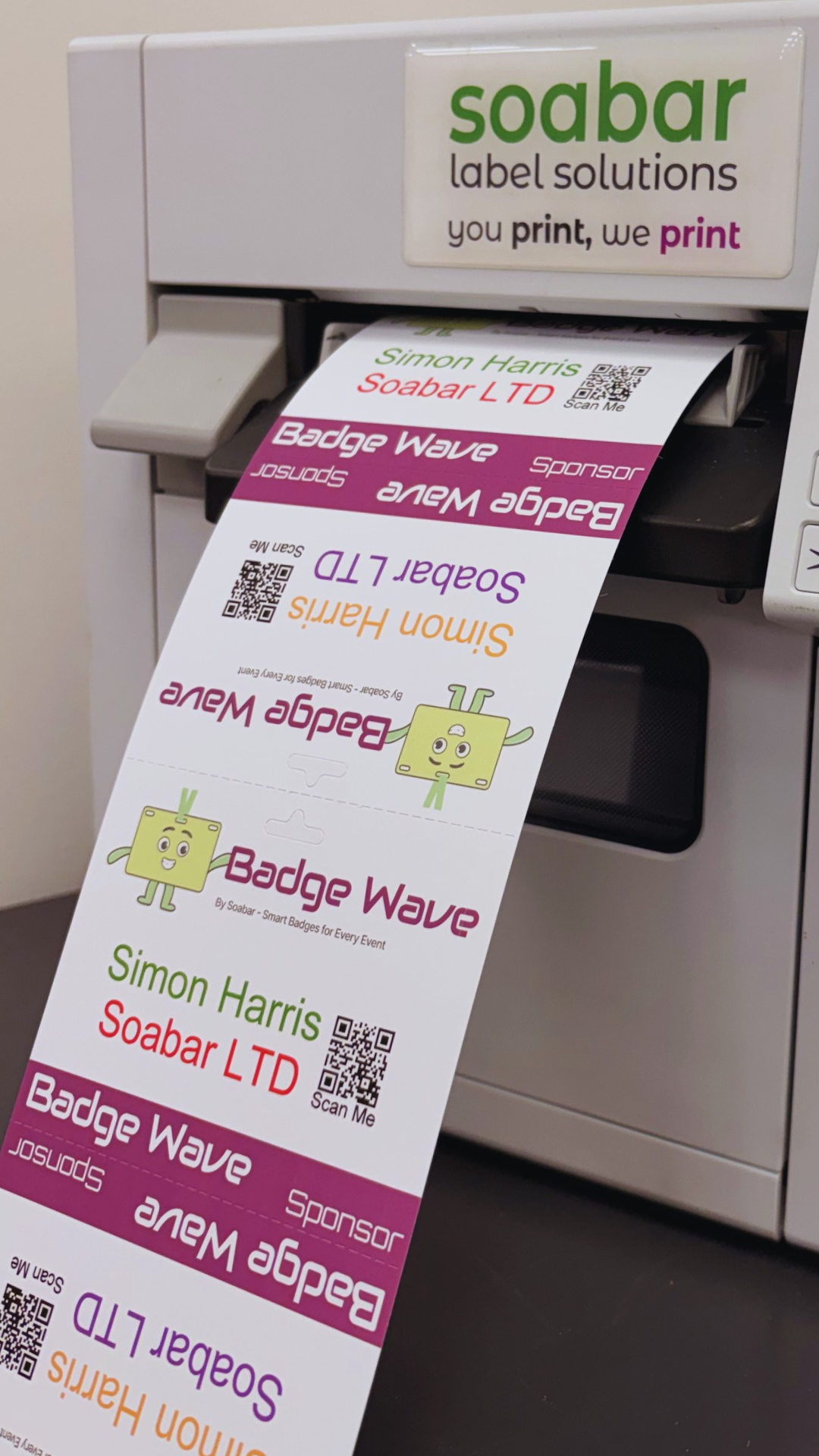
While Direct Thermal printers are brilliant for simple black-and-white text on pre-printed stock, there comes a point where printing in full colour on demand pays for itself—not just in money saved, but in flexibility, security, and ease at your event.
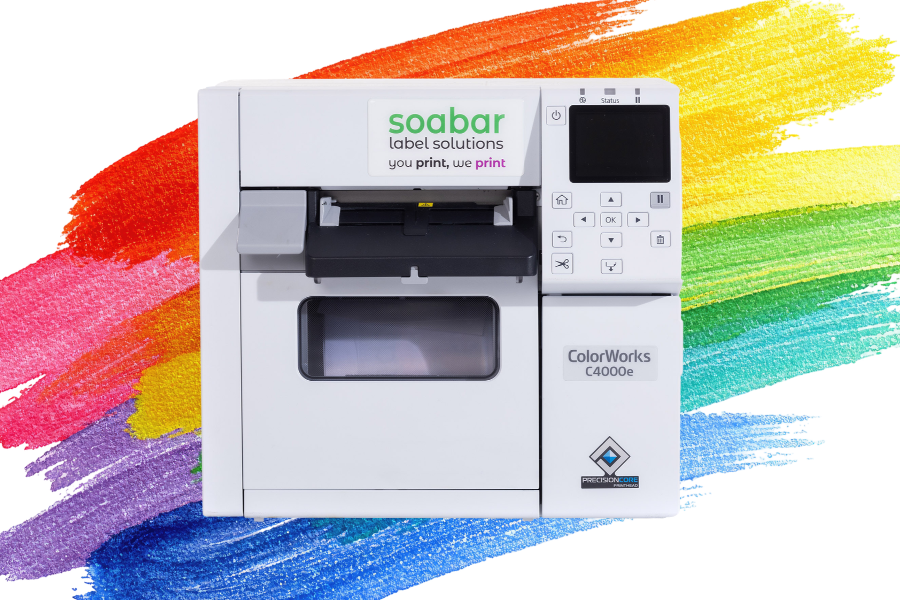
Here’s how to tell if your company should by a full-colour badge printer for its events, and why the Epson ColorWorks CW-C4000e is our top recommendation.
Weighing Up the Cost
There is no getting around the upfront price difference. A reliable Direct Thermal badge printer, such as our Zebra ZD621, costs £715, whereas the full-colour printer that we’d recommend, the Epson ColorWorks CW-C4000e, comes in at £1,490.
At first glance, paying roughly double seems like a large jump in cost. However, the printer hardware cost is only half of the picture. When you factor in how you run your events, the maths quickly shifts in favour of full-colour printing:
- Cheaper blank stock: With a Direct Thermal printer, you have to buy pre-printed badges if you want colour logos or branding, which adds a significant premium per badge. With a full-colour printer, you only need to buy plain, blank badge stock, which comes in at a much lower cost.
- No wasted stock: If an event's branding changes, a sponsor drops out, or attendance is slightly lower than expected, any specifically branded, pre-printed badges end up in the bin. Blank stock never goes out of date- leftover badges from one event simply roll over to be used at the next one.
- Multi-event flexibility: If you run multiple events, conferences, or corporate workshops throughout the year with different themes and branding, a full-colour printer lets you switch designs in seconds without waiting on print lead times or paying multiple setup fees.
A quick note on print quality: If you are running a single, flagship annual event with thousands of attendees and want ultra-high-end finishes, having badges pre-printed on an industrial press will still achieve an even sharper, press-grade finish. For everyone else- especially small/medium sized multi-event organisers- on-demand full-colour printing hits the sweet spot between quality and agility.
| Feature | Direct Thermal (£715) | Full-Colour Inkjet (£1,490) |
| Badge Stock | Requires pre-printed stock for colour | Uses cheaper, plain blank stock |
| Design Changes | Locked in once stock is printed | Instant updates right up to doors opening |
| Multi-Event Use | Separate stock needed per brand | One stock fits all events |
| Security Features | Text and monochrome barcodes only | Full-colour headshots and colour-coded zones |
Boosting Event Security
Modern event badges do far more than just display a name and company; they are your frontline security tool. Printing in full colour unlocks two major advantages for your venue team:
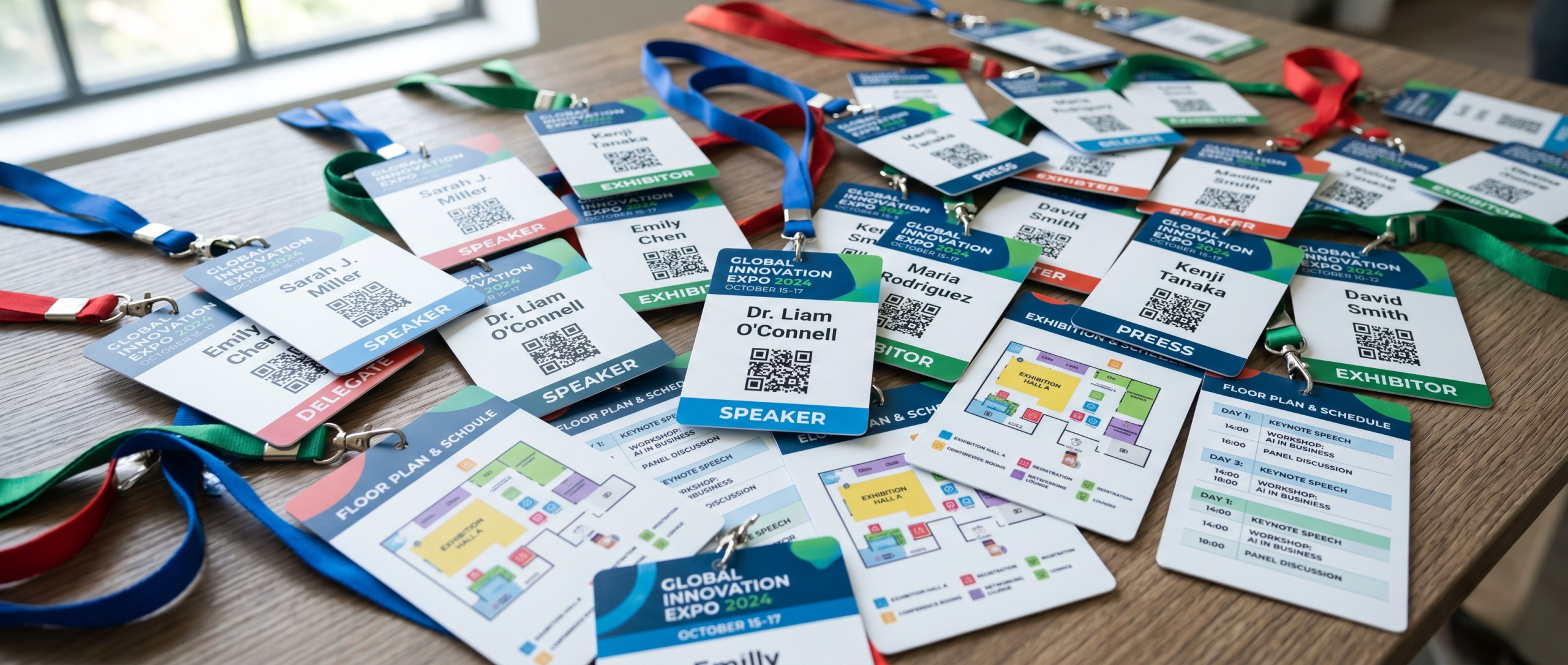
- Colour-coded attendee categories: You can instantly assign distinct colour blocks or headers for categories like Exhibitor, Visitor, VIP, Press, or Staff. Security staff can spot who belongs in restricted areas from across the room without having to try and read small text.
- On-demand attendee headshots: Full-colour printing lets you print crisp attendee photos directly onto the badge at the registration desk. This pretty much eliminates badge sharing and makes identity verification effortless for high-security corporate or government events.
Other Practical Benefits Organisers Love
Beyond cost savings and security, owning a full-colour printer solves several common event-day headaches:
- Last-minute sponsor changes: Signed a sponsor 48 hours before doors open? Add their full-colour logo to your badge template immediately- so last minute, rush-printing fees are avoided.
- Smudge-free durability: Modern pigment-based inks dry almost instantly and resist water and smudging, meaning badges stay looking sharp even through a three-day conference.
- Personalised agendas and wayfinding: Use colour icons or subtle visual cues on the badge to indicate workshop attendance, meal preferences, or networking groups.
Our Recommendation: The Epson ColorWorks CW-C4000e
If you’re ready to choose full-colour badge printing, then the Epson ColorWorks CW-C4000e is built specifically for the demands of busy registration desks.
Here is why it stands out:
- High print resolution: With a resolution of up to 1,200 x 1,200 dpi, logos, QR codes, and attendee headshots come out crisp, vibrant, and photo-quality.
- Easy PDF printing: It handles PDF badge templates smoothly, making it straightforward to integrate with your existing event registration software without wrestling with complicated formatting.
- Wi-Fi connectivity for tablet check-in: By adding the optional Wi-Fi dongle, you can connect the CW-C4000e wirelessly to a registration tablet—such as an iPad—right at the check-in desk. No tangled cables, and a much cleaner, faster check-in experience for your guests.
- Built for speed and convenience: Its compact desktop footprint fits neatly onto crowded registration tables, while the built-in auto-cutter and fast-drying UltraChrome DL pigment inks keep the queues moving.
- Peace of mind with a 3-year warranty: Events don't wait for hardware repairs. You have the option to add an extended printer warranty (Epson CoverPlus) of up to 3 years, ensuring your machine is serviced directly by Epson engineers if anything ever goes wrong.

The Verdict: When Should You Buy One?
If you run events that only need a single fixed badge design, a Direct Thermal printer paired with pre-printed badges is a sensible, economical choice.
However, if you manage multiple events a year, need colour-coded security and photo IDs, or simply want the freedom to control your own branding because it differs between events, then investing in a full-colour printer will quickly pay dividends and reduce your cost per badge, per event.
Ready to upgrade your check-in desk? Explore the Epson ColorWorks CW-C4000e and our range of blank badge stock, or get in touch with our team for a tailored recommendation based off of your specific company and event needs.
- November 19, 2026

FAQS
Frequently Asked Questions
When you select Standard Delivery for all badge orders & they are being delivered to the UK, you will receive them within 7 working days from artwork approval. You can also select Express Shipping at the checkout which will mean that your badges will be shipped just 3 days from artwork approval.
If you're ordering a printer without badge stock, we aim to ship this within 5 working days from placing your order.
We also ship internationally using DHL, but delivery cost and timings will vary depending on where you need your order shipping to. Please check https://www.dhl.com/gb-en/ecommerce/uk/international-parcel-delivery/location-list.html for approximate timeframes.
This will depend on what you want to print onto your badges on the day of your event. Our thermal tickets are designed to be printed on the Zebra range of printers, namely the ZD621 and GK420D. These printers will print your data and text in a single colour. Our Inkjet tickets are designed to be printed on the Epson C3500 and C4000 range of printers, which both allow for full-colour on the day printing.
Direct thermal technology uses a heat-sensitive coating to create clear, high-quality text or images from a single-colour printer, offering a simple and efficient printing solution without the need for ink or toner. Our Inkjet material is specially coated to allow a CMYK print process in full colour.
Typically, our on-site printers will accept any badge width up to a 4” wide. The most common size for an event badge is 4” x 12”, which folds to 4” x 6” double sided.
You can view our artwork requirements on the downloadable, editable templates on each product page.