




How Can I Colour-Code Exhibition Passes for Different Attendee Categories?
Colour-code exhibition passes by assigning each attendee category a consistent visible colour band plus a written role label. For example, visitors, exhibitors, speakers, staff and press might each have a different colour, but the words must remain readable even if colours appear similar under venue lighting. Keep the colour system aligned with the event's registration records and access rules; the printed pass should describe permissions, not create them.
With custom exhibition and event badges, Badge Wave can help organisers plan printed badge stock and the on-site personalisation method. You can pre-print separate coloured shells or print changing category colours on compatible full-colour inkjet media. Those approaches require different stock plans and software setups.

Build the colour key before designing any artwork
Step 1: Limit categories to meaningful roles
Start with operational groups rather than every ticket price or marketing segment. Common categories include VISITOR, EXHIBITOR, SPEAKER, STAFF and PRESS, with VIP or SPONSOR added only when it genuinely affects identification. Five highly distinct categories are usually easier to explain at a registration desk than fifteen near-identical colours.
Step 2: Write the role on the pass
Never expect a steward to memorise that orange means exhibitor and teal means speaker. Put EXHIBITOR or SPEAKER in clear uppercase text inside or alongside the colour band. Colour vision differences, low light and colour shifts between screens and printers can all weaken colour-only identification. Icons can add a secondary cue where useful.
Step 3: Keep the key consistent across teams
The registration platform, artwork files, check-in staff brief and venue access list must use the same category names. A “Partner” in the booking system should not accidentally print as “Sponsor” if those labels have different entry privileges. Appoint one person to approve changes to the colour key, and document them before the event.

Which printing method gives you the most flexibility?
Pre-printed category shells
Order coloured, pre-printed stock for fixed categories, then overprint attendee details with a compatible Zebra ZD621 direct thermal printer. This works when role types and demand are predictable. Build spare stock into every category, because unused Visitor shells cannot automatically become Speaker shells without a permitted over-label or alternative design.
Full-colour categories printed on demand
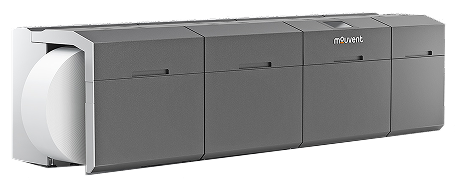
Choose a suitable Epson full-colour badge printer and blank inkjet stock when the category colour must come from the attendee record at check-in. It allows role changes without changing the physical shell, but software mapping, print time and media compatibility must be tested thoroughly.
One neutral shell with a black printed role
Where a busy event has only occasional category changes, a neutral branded pass with a prominent black text label can be less complicated than maintaining a full palette. Clear words can be more useful than colour variation, especially when stewards are managing many exceptions.
Colour design rules that hold up in an exhibition hall
Use sufficient contrast between the category label and its background; avoid pale lettering on light colours. Reserve the same location and approximate size for the role on every design. Test the pass in the venue's likely lighting, not only on a calibrated monitor. Print a mock-up of every category and inspect them side by side when worn on the specified lanyard.
Keep scanning zones away from heavy decorative backgrounds. A QR code for check-in or exhibitor lead capture should have the contrast and clear margins required by the scanning platform. Colour bars may help humans distinguish attendees but do not themselves validate access or share contact details.
Test category changes and prevent access mistakes
Rehearse a visitor upgraded to speaker, an exhibitor registered under the wrong company, and a lost VIP pass being reissued. Confirm whether the old credential remains valid and what the security team sees in its access system. A printed badge is a visible credential, while authoritative entry permissions belong in the event's operational system.
For multi-day exhibitions, consider whether the category is stable throughout the event. If a staff member changes role each day, either the same pass must show the approved current status clearly or the event needs a controlled replacement policy. Consult Badge Wave's badge information guide for further field hierarchy and legibility checks.
Create a colour system that your team can operate
Share your category list, badge quantities, access rules and intended print method. Ask Badge Wave about colour-coded exhibition passes before the artwork and stock plan are locked.
Yes, but create extra colour categories only when they make registration, networking or venue operations clearer. Always include a text label.
No. It prints single-colour direct thermal output. Coloured bands need to be pre-printed on suitable shells or produced through a compatible full-colour printing workflow.
No. A visible colour can help staff identify a category but access should still follow the event's authorised checks and permissions.