




Which Printer Should I Use for Full-Colour Attendee Information on Event Passes?
If you need to print attendee photographs, changing colour-coded roles, logos or other full-colour variable details at registration, a compatible inkjet badge printer is the appropriate route. Badge Wave offers the Epson ColorWorks CW-C4000e range for on-site full-colour badging. If only the attendee name, company and QR code change, a full-colour pre-printed shell personalised in black with a Zebra ZD621 direct thermal printer may be simpler.
The deciding factor is what actually changes from person to person. Full-colour on-site printing is useful when colour is variable; it is not a requirement merely because the finished badge is branded.

When the Epson CW-C4000e is the stronger option
Choose an Epson colour badge printer when the on-site record must control several visual elements, such as a speaker photograph, coloured exhibitor type, a sponsor-specific background or different event identities. Compatible blank inkjet badges allow the design to be composed at registration rather than fixed in a production run.
Badge Wave lists two Epson CW-C4000e variants: BK (Gloss) and MK (Matte). That distinction concerns the device's black-ink configuration and intended media finish; do not choose one solely on the words “gloss” or “matte” without confirming the stock and final artwork requirement. For example, if you are using a matte coated card, verify the recommended configuration and sample output before procurement.
Full-colour inkjet has operational considerations. Print quality and throughput vary with coverage, stock and printer settings. Large photographic areas and full-colour backgrounds can increase ink use and production time compared with printing a short black name field. Test the actual badge, not a small generic label.

When a Zebra ZD621 is sufficient
The Zebra ZD621 is a direct thermal, single-colour printer suited to crisp black attendee information on compatible thermal stock. It cannot produce full-colour variable graphics. However, if your event passes arrive with colourful shells already printed, the finished pass can still look premium while the printer fills in only the name, role or QR code.
This is often a good fit for consistent conference branding with high-volume check-in. It can also reduce the number of things staff need to manage on the day. The limitation appears when a new category or photo must be rendered in colour after the pre-printed shells have been approved.
Compare based on the actual data requirement
Variable names and QR codes only
Use compatible printed thermal shells and a single-colour workflow where the fields are high-contrast and easy to place. Test long names, code scanning and the record-to-printer connection.
Attendee photos and individual colour bands
Use a full-colour inkjet workflow and media specified for the machine. Define image quality and privacy rules in advance, and check that the registration platform can deliver the photo file and correct category reliably.
Fixed sponsor artwork but variable exhibitor names
A hybrid approach may be efficient. Pre-print the sponsor background, reserve a clear area for variable details and choose the printer technology based on the remaining fields rather than the overall appearance of the finished pass.
Check these issues before choosing hardware
Media: Does the exact badge reference feed correctly through the printer and fit the intended fold?
Software: Can the event registration platform send data to this printer model and map its template fields?
Connections: Will the registration desk use a supported USB, network or optional wireless configuration?
Output: Are the smallest labels and QR codes readable and scannable at finished size?
Capacity: How long does the *whole* check-in transaction take during a realistic peak-load test?
Resilience: Is there spare stock, an agreed reprint policy and backup equipment?
The Badge Wave printer range shows current on-site models; do not assume older configurations, accessories or connectivity options are included unless the individual product listing confirms them.
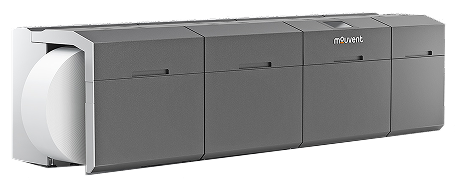
Match the printer to your pass, not just your budget
Send the fields you plan to personalise, a sample design, the expected arrival pattern and your event platform details. Ask Badge Wave about full-colour on-site badge printing before ordering hardware and stock.
No. Badge Wave's ZD621 is a direct thermal single-colour printing option. Use a compatible full-colour printer for colour photos.
Not as a general substitute. Epson inkjet and Zebra direct thermal use different printing methods and media requirements.
Only if the software, driver, badge template and data connection are configured and tested together. Printer ownership alone does not provide an integration.