




What Information Should Be Included on a Conference Badge?
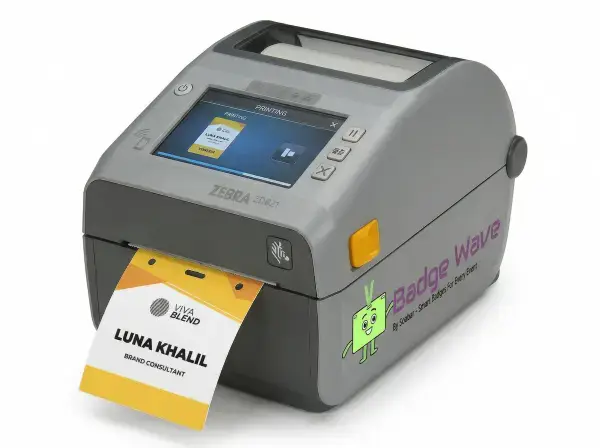
A badge is viewed by attendees, registration staff, exhibitors and sometimes security, so each field should have a clear audience and purpose. The front must support quick recognition and conversation. Codes can connect the physical badge to digital registration, access or lead-capture systems, while visible category cues help staff to direct people. More information is not automatically better: crowded layouts reduce name readability and can expose data that does not need to be public.
Review the Badge Wave event badge gallery for layout ideas, then create a field hierarchy based on the actual conference journey rather than copying every available database column.

Make the attendee name the primary field
The preferred display name is usually the most important networking information and should be readable at normal conversational distance. This is the central component to consider when making the attendee name the primary field, because it determines what the attendee sees and what the registration team must deliver under pressure.
Give it the largest typeface and define a controlled response for long, hyphenated or missing names. Use realistic names, roles, records, artwork and equipment rather than a perfect demonstration sample. Print the longest real examples and ask people to read them while the badge is worn. Document the approved result so every station starts from the same configuration.

Add organisation and role with clear hierarchy
Company, institution, job title or event role can help people understand context, but they should not compete equally with the person’s name.
Choose the one or two secondary fields that support the conference purpose. Use realistic names, roles, records, artwork and equipment rather than a perfect demonstration sample. Test long organisations, independent attendees and records with no job title. Include exceptions as well as the normal attendee journey, because they usually expose the hidden delay or layout failure.
Label badge categories explicitly
Words such as Attendee, Exhibitor, Speaker, Staff, Press or VIP communicate a role more reliably than colour alone. Treat this as a specification question, since a visually attractive, colourful option may fail if it does not work in the intended registration environment. The specification should state what success looks like and what would make the option unacceptable. That gives artwork, registration and venue teams the same decision rule.
Use a prominent text label supported by a consistent colour, band or icon. Use realistic names, roles, records, artwork and equipment rather than a perfect demonstration sample. Ask registration and venue teams to identify every category without a reference badge. If the result fails, change the specification before production rather than asking event staff to compensate manually.
Include access information only when necessary
Names, companies and codes added on site must land on the intended face after folding or sealing. The best answer depends on the event requirement, but the relevant factors can be defined and tested before an order is approved. Resolve any issues before dependent work is approved. Late changes can affect templates, stock allocation, staff instructions and the reliability of earlier testing.
Map every variable field in printer-feed orientation rather than finished viewing orientation alone. Use realistic names, roles, records, artwork and equipment rather than a perfect demonstration sample. Run records through the final printer and assemble them before checking alignment. Repeat this check whenever the relevant artwork, stock, data or equipment changes.
Use codes for a defined workflow
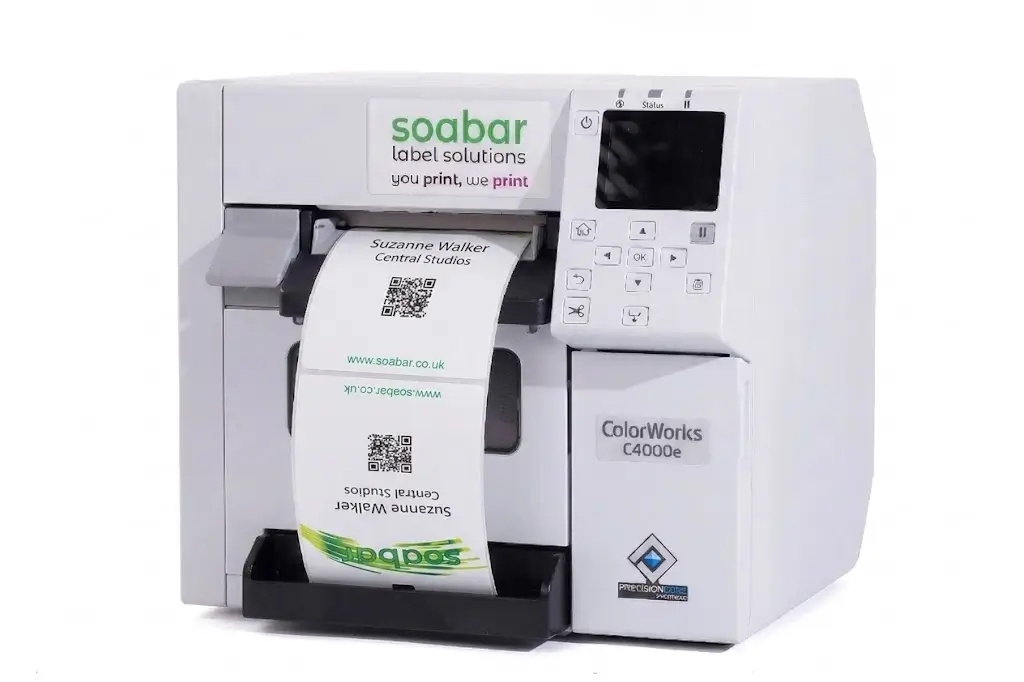
A QR code or barcode may support check-in, session access, lead capture or profile lookup, but the printed symbol is not the workflow by itself. This is the central decision behind use codes for a defined workflow, because it determines what the attendee sees and what the registration team must deliver under pressure. Use the event's real scale and attendee journey, not a generic best practice detached from the venue. A small meeting and a peak-arrival exhibition may need different answers.
Assign one purpose and data destination to each code and preserve sufficient size and quiet zone. Use realistic names, roles, records, artwork and equipment rather than a perfect demonstration sample. Scan production samples with every authorised app. Use the outcome to set the staffing, stock or artwork rule for this event rather than relying on an assumed universal answer.
Keep personal data to a minimum
Phone numbers, personal email addresses, home details and sensitive attributes rarely need to be visible on a conference badge. Additional fields, colours, devices or process steps should remain only when they solve a defined attendee or operational need.
Apply data minimisation and obtain the appropriate notices or permissions for linked digital data. Use realistic names, roles, records, artwork and equipment rather than a perfect demonstration sample. Review the visible fields and encoded destination with the event's privacy owner. Keep a reference sample with the event kit so operators can distinguish correct output from a developing fault.
Use the reverse selectively
The back can contain a short agenda, Wi-Fi details, emergency information or sponsor message when attendees will genuinely use it. Treat this as a specification question, since a visually attractive option can still fail if it does not work in the intended registration environment. Assign an owner for the decision and its acceptance check. Without ownership, teams may use different versions or make inconsistent corrections under pressure.
Avoid shrinking the front merely to fit a secondary copy that belongs in the app or programme. Test whether attendees can locate and read the reverse content on an assembled badge. Record who approved the result and which version was tested to prevent an earlier draft returning at venue setup.
Write rules for incomplete and changing records
Real registration data contains blank companies, duplicate titles, long values and late edits. The best answer depends on the event requirement, but the relevant factors can be defined and tested before an order is approved. Include the fallback in the design rather than adding it after a failure. The alternative must preserve essential identity, access and registration functions.
Define fallback wording, truncation rules and who may change a field at check-in. Use realistic names, roles, records, artwork and equipment rather than a perfect demonstration sample. Generate a proof set covering every edge case before locking the template. Run the fallback immediately after the main test and confirm that it preserves the essential function.
Conference badge content checklist
Preferred attendee name is most prominent.
Organisation and role have a secondary hierarchy.
Badge category is written in words.
Colour is not the only access cue.
Codes have one defined operational purpose.
Sensitive personal data is excluded.
Long and missing fields have layout rules.
Reverse-side content is genuinely useful.
What to record in the approved event brief
The final brief for information on a conference badge should state the decision reached under make the attendee name the primary field, the operational rule agreed for add organisation and role with clear hierarchy, and the acceptance check used for label badge categories explicitly. It should also identify the owner of include access information only when necessary, the production or configuration version that passed testing, and the date after which changes require another approval. Include the relevant event date, in-hand date, expected attendance, peak arrival pattern, badge size and construction, printer model, stock reference, software or data source, attachment and delivery location. Record the edge cases used in testing, who may edit attendee records or authorise reprints, and the fallback that applies if the normal route is unavailable. This written brief gives design, registration, venue and supplier teams one source of truth. It also prevents a late request from quietly changing an assumption that earlier artwork, capacity or scanning tests depended on. After the event, compare the approved brief with actual queue, reprint, stock and support results so the next specification improves from evidence rather than memory.
Include it when it helps networking or event operations and the data is reliable. Keep it secondary to the attendee name.
Colour can support recognition, but pair it with explicit text or a symbol so the meaning does not depend on colour alone.
Only when there is a defined need, appropriate permission and a considered privacy basis. It is usually better to avoid visible personal contact data.
Prefer a controlled identifier or approved destination rather than exposing unnecessary personal information directly in the code.
A concise agenda can use the reverse of a larger badge, provided it remains readable and does not crowd essential identity information.