




How Do I Print Event Badges on the Day of the Event?
On-day printing separates fixed design from variable attendee details. Branding can be pre-printed or held in the template, while names, companies, roles, access levels and codes are produced when a delegate checks in. The method is valuable when registrations change late, but it succeeds only when data, software, template, printer, stock and staff are treated as one controlled workflow. Printer speed alone cannot compensate for slow record searches, unapproved data edits or media that has not been calibrated.
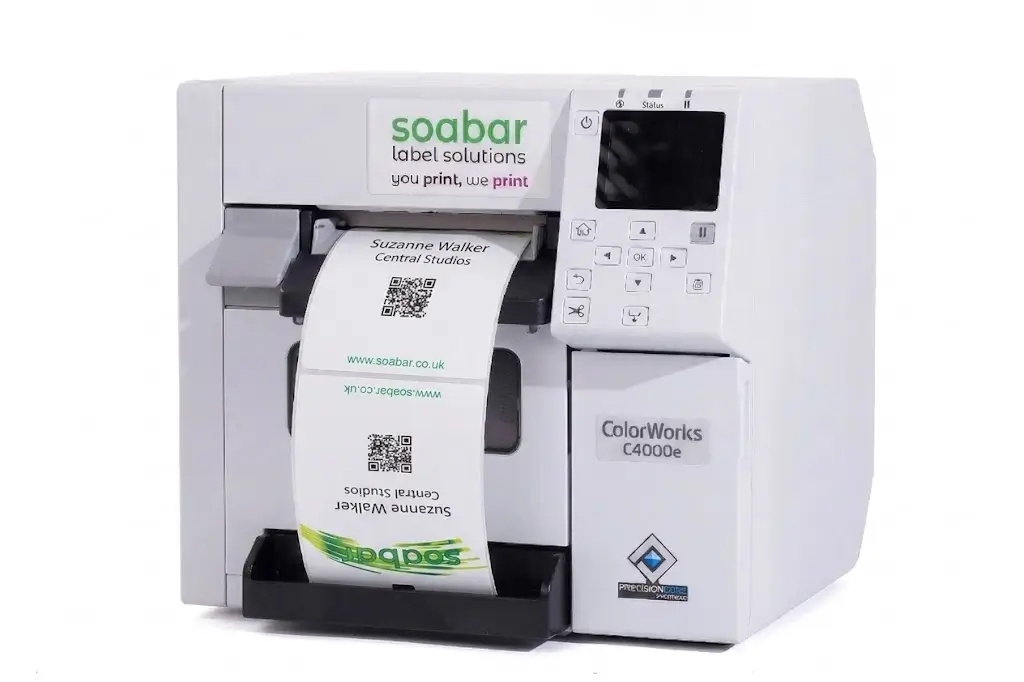
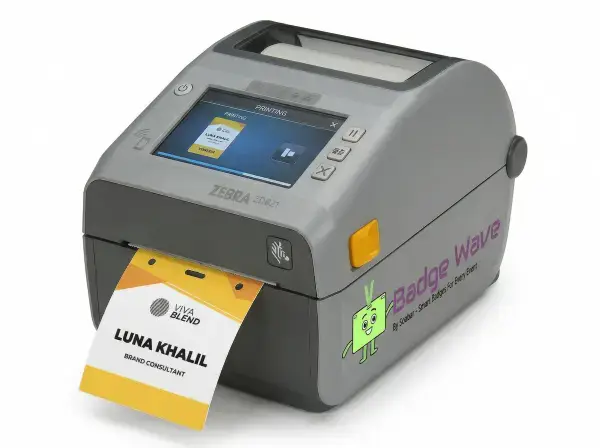
Start by comparing Badge Wave's on-site badge printers and the media each model supports. Thermal and inkjet systems solve different output requirements, so choose the workflow before ordering stock.

Choose the on-day print method
Direct thermal is suited to fast single-colour variable details, while inkjet is used when variable logos, headshots or other full-colour content must be produced at check-in. This is the central decision behind choosing the on-day print method, because it determines what the attendee sees and what the registration team must deliver under pressure. Define the required result before comparing products, then separate essential functions from preferences that can change. This prevents a visual choice from creating an operational conflict later. Write down which elements are fixed, which change per attendee, and whether colour print is operationally necessary. Use realistic names, roles, records, artwork and equipment rather than a perfect demonstration sample. Print samples from the final data source and confirm that every variable field appears in the correct position. Document the approved result so every station starts from the same configuration.

Prepare attendee data before venue setup
Names, organisations, badge categories and unique identifiers should be cleaned before they reach the registration desk. The heading is practical rather than theoretical: the organiser needs a choice that works with the badge stock, data and event-day process. Consider the people, data and equipment involved at this exact stage. A decision is useful only when the team can apply it consistently during setup and live registration.
Define mandatory fields, remove duplicates, standardise role names and decide who may correct a record. Use realistic names, roles, records, artwork and equipment rather than a perfect demonstration sample. Test long names, missing companies, accented characters, duplicate attendees and a record created at the desk. Include exceptions as well as the normal attendee journey, because they usually expose the hidden delay or layout failure.
Build and lock the badge template
The template controls hierarchy, field length, barcode or QR placement and the printable area available on the chosen stock. Treat this as a specification question, since a visually attractive option can still fail if it does not work in the intended registration environment. The specification should state what success looks like and what would make the option unacceptable. That gives artwork, registration and venue teams the same decision rule.
Use the product artwork template, reserve enough space for the longest expected values and approve a controlled final version. Use realistic names, roles, records, artwork and equipment rather than a perfect demonstration sample. Check folds, holes, slots, quiet zones and whether the badge hangs in the intended orientation. If the result fails, change the specification before production rather than asking event staff to compensate manually.
Configure the printer with production stock
Printer drivers, sensors, media settings and stock construction must agree; office paper is not a meaningful substitute for the badge media used at the event. The best answer depends on the event requirement, but the relevant factors can be defined and tested before an order is approved. Resolve this point before dependent work is approved. Late changes can affect templates, stock allocation, staff instructions and the reliability of earlier testing.
Load the actual stock, calibrate it and save the approved printer settings on every event laptop. Use realistic names, roles, records, artwork and equipment rather than a perfect demonstration sample. Run repeated prints and inspect feed accuracy, cut or tear position, density, colour and scan performance. Repeat this check whenever the relevant artwork, stock, data or equipment changes.
Design the registration-desk workflow
A completed badge requires more than printing: staff must find the right attendee, verify identity, handle edits and attach or hand over the badge. This is the central decision behind designing the registration-desk workflow, because it determines what the attendee sees and what the registration team must deliver under pressure. Use the event's real scale and attendee journey, not a generic best practice detached from the venue. A small meeting and a peak-arrival exhibition may need different answers.
Separate pre-registered, walk-in, help and reprint paths when volume justifies it, and give each station a clear role. Use realistic names, roles, records, artwork and equipment rather than a perfect demonstration sample. Time complete attendee journeys during a rehearsal rather than quoting the printer's mechanical output. Use the outcome to set the staffing, stock or artwork rule for this event rather than relying on an assumed universal answer.
Control late registrations and reprints
On-day flexibility should not mean unrestricted changes or duplicate credentials. The heading is practical rather than theoretical: the organiser needs a choice that works with the badge stock, data and event-day process. Keep the choice proportionate to its purpose. Additional fields, colours, devices or process steps should remain only when they solve a defined attendee or operational need.
Set permissions for creating records, editing access categories and authorising replacement badges. Use realistic names, roles, records, artwork and equipment rather than a perfect demonstration sample. Confirm that a reprint invalidates or records the earlier credential where the event system supports that control. Keep a reference sample with the event kit so operators can distinguish correct output from a developing fault.
Prepare consumables and a fallback
A single missing cable, depleted ink set, damaged roll or failed laptop can stop an otherwise sound setup. Treat this as a specification question, since a visually attractive option can still fail if it does not work in the intended registration environment. Assign an owner for the decision and its acceptance check. Without ownership, teams may use different versions or make inconsistent corrections under pressure.
Pack labelled station kits with matched stock, power and data cables, cleaning items and approved spare consumables. Use realistic names, roles, records, artwork and equipment rather than a perfect demonstration sample. Start a second configured device or run the documented contingency-badge process during rehearsal. Record who approved the result and which version was tested to prevent an earlier draft returning at venue setup.
Rehearse under event conditions
A timed rehearsal reveals queue, data and staffing issues that a clean office sample will not show. The best answer depends on the event requirement, but the relevant factors can be defined and tested before an order is approved. Include the fallback in the design rather than adding it after a failure. The alternative must preserve essential identity, access and registration functions.
Use the venue network plan, actual devices and representative peak-volume scenarios before doors open. Use realistic names, roles, records, artwork and equipment rather than a perfect demonstration sample. Measure search time, correction time, print time, scan success and the number of exceptions requiring escalation. Run the fallback immediately after the main test and confirm that it preserves the essential function.
Event-day printing checklist
Approved badge template and backup copy are available.
Attendee data has been cleaned and imported.
Printer drivers and media settings are locked.
Production stock has been tested on every printer.
Long names, blank fields and codes have been checked.
Staff roles for edits and reprints are documented.
Consumables, cables and power supplies are labelled.
A tested fallback printer or contingency process is ready.
What to record in the approved event brief
The final brief for print event badges on the day should state the decision reached under choose the on-day print method, the operational rule agreed for preparing attendee data before venue setup, and the acceptance check used for build and lock the badge template. It should also familiarise the owner of the printer with production stock, the production or configuration version that passed testing, and the date after which changes require another approval. Include the relevant event date, in-hand date, expected attendance, peak arrival pattern, badge size and construction, printer model, stock reference, software or data source, attachment and delivery location. Record the edge cases used in testing, who may edit attendee records or authorise reprints, and the fallback that applies if the normal route is unavailable. This written brief gives design, registration, venue and supplier teams one source of truth. It also prevents a late request from quietly changing an assumption that earlier artwork, capacity or scanning tests depended on. After the event, compare the approved brief with actual queue, reprint, stock and support results so the next specification improves from evidence rather than memory.
Yes. A check-in or badge-design system can send the selected attendee record to a compatible printer, provided the template, stock and connection have been configured in advance.
It can be. Badge Wave notes that both featured printer options can use pre-printed full-colour stock and add variable delegate information on site.
Yes, if authorised staff can create a record, apply the correct badge category and print it through the approved template.
Move to a tested spare or documented contingency process, then diagnose the failed station away from the active queue.
Yes. Print them from realistic records on production stock and scan them with the actual event application before opening registration.