




6 Creative Things to Print on the Back of a 4" x 6” Badge
When planning an exhibition or conference, it’s easy to treat the registration badge as only containing only the absolutely necessary information. You print the attendee’s name, their company, a barcode, and call and maybe, if you’re feeling extravagant, the Wi-Fi password too!
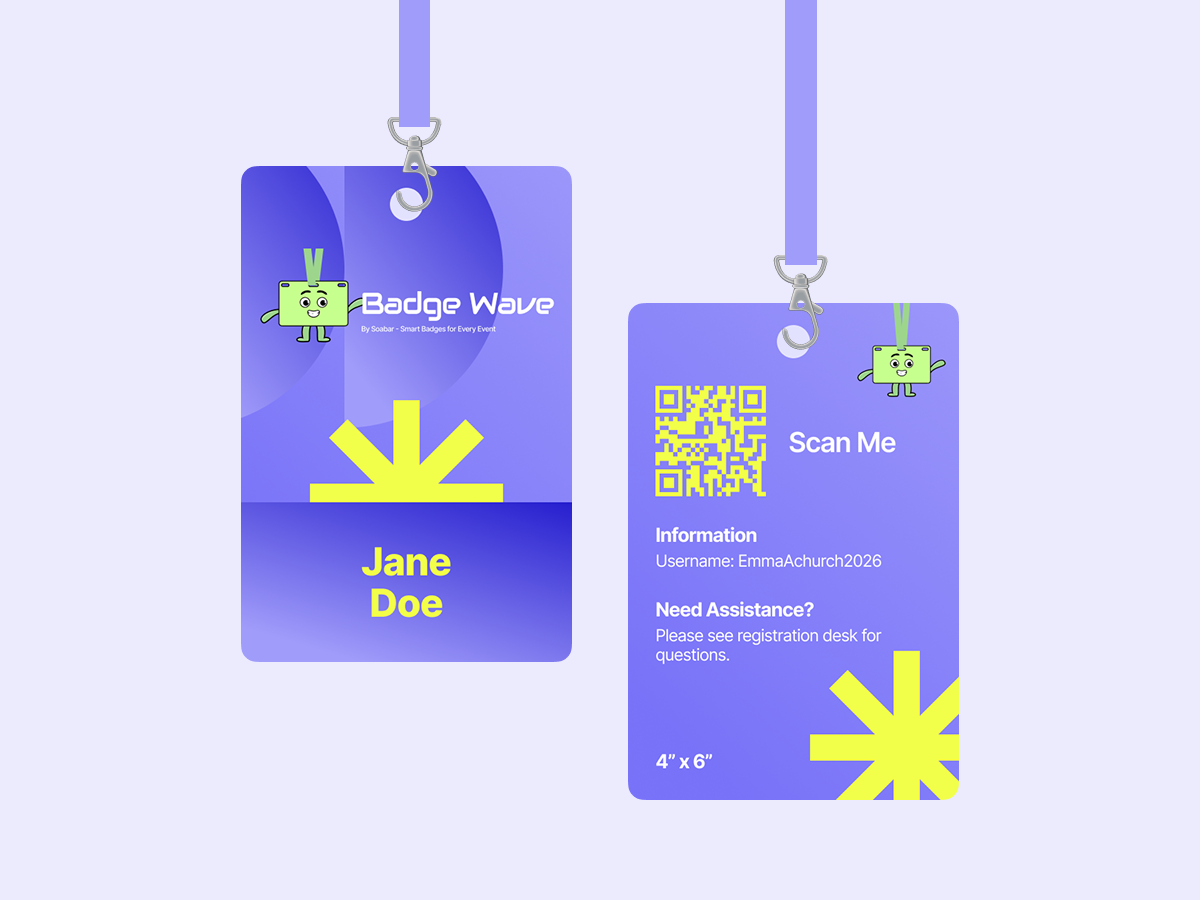
But if you are using a premium 4 x 6" card badge, you are sitting on a goldmine of unused marketing and organisational real estate: the back page.
Because our 4 x 6" card badges offer double the space of a traditional pass, they give you the perfect canvas to upgrade your attendee experience and make it feel like a premium, well-thought through event.
Whether you’re pre-printing your badges in full colour or using an on-site powerhouse like the Epson CW-C4000e or Zebra ZD621 to add data at the registration desk, here are 5 creative things to print on the back of your next badge.
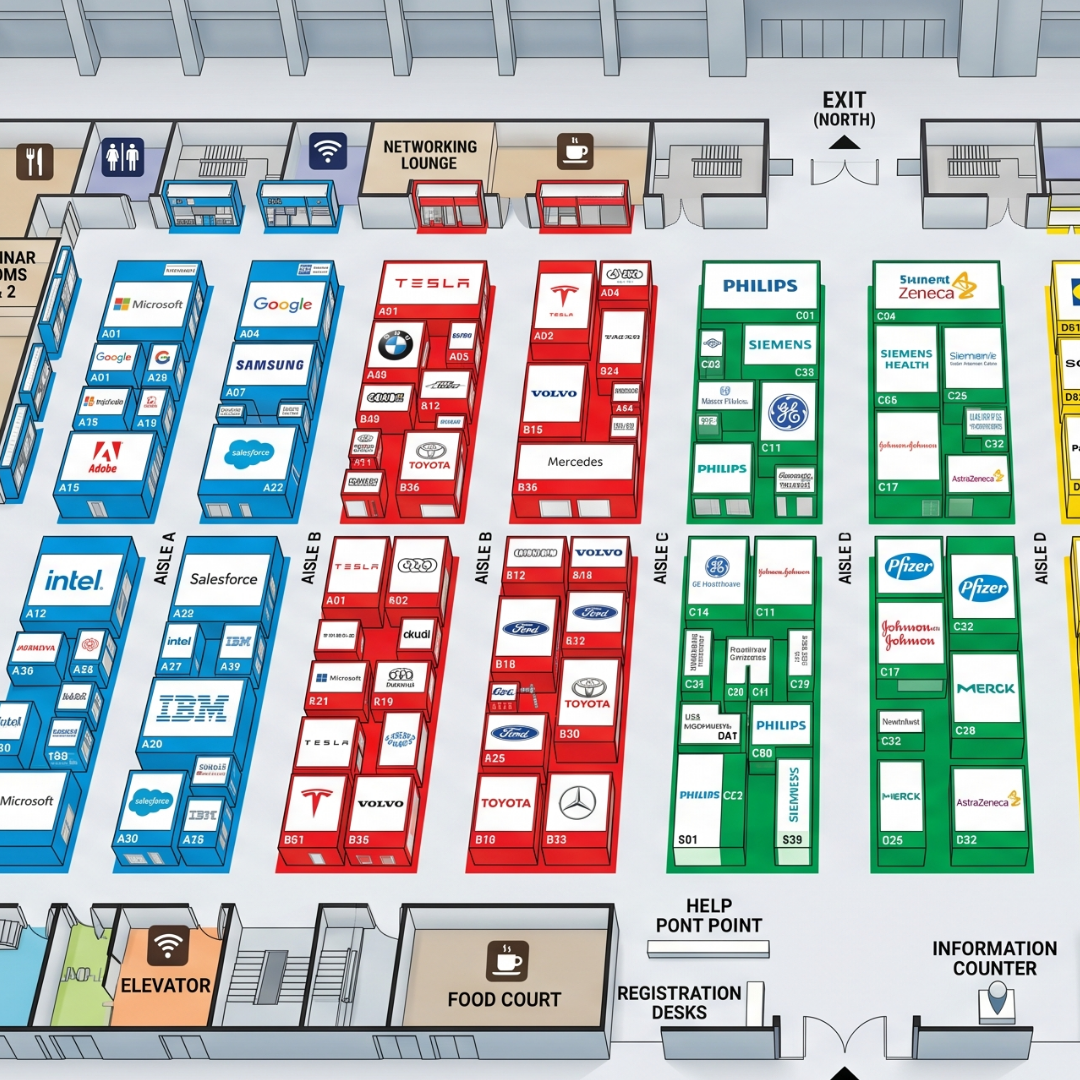
1. A Mini-Map of the Exhibition Floor
Navigating a massive, often new venue can be overwhelming for visitors. While event apps are great, digging your phone out of your pocket just to find the toilets or the main catering area gets annoying, fast. Especially when you’re carrying lots of freebies and goodies!
A simplified, color-coded floor plan printed on the back of a 4x6” badge is the ultimate low-tech, high-utility solution. Attendees can flip their badge over, glance down, and immediately see where the keynote speaker stage, exhibition booths, and coffee stations are located.
2. A Personalised "My Schedule" Timeline
If your event features multiple talks, workshops, or VIP sessions running simultaneously, a master schedule can get crowded. If you are utilising on-site printing, then this is your opportunity to take personalisation to the next level.
When a guest checks in, use your event registration software alongside a high-speed printer like the Zebra ZD621 or Epson CW-C4000e to dynamically print their specific itinerary on the back. Show them exactly which workshops they’ve picked when they’ve been planning for their visit (via platforms like Eventbrite, Cvent, or your own website).
This way they’ll know exactly where they have to be at a certain time, and it will feel like you’re doing everything you can to make the event a seamless, enjoyable experience for them.
Event Organiser Bonus: You can use this pre-registration information to see which events are pulling the most crowds and what location or time is proving the most popular. This can then shape how you structure and market your event successfully for years to come!
3. Local Food & After-Hours Hotspots
When the exhibition doors close for the day, the networking doesn't stop—it just moves to the local pubs, cafes, and restaurants.
Give your out-of-town guests a hand by printing a "Local Top 5" guide on the back of the badge. Include the best spots nearby for a quick coffee, a quiet business lunch, or evening drinks. Your attendees will love the insider knowledge, and it keeps the community vibe of the event going long after the final panel concludes and the doors close for another day.

4. A Custom QR Code for App Downloads or Digital Business Cards
If you want your event to bridge the gap between physical and digital, the back of the badge is the perfect bridge.
- For the Organiser: Print a large QR code linking directly to the App Store or Google Play download page for your official event app.
- For the Attendee: If you are using a full-colour printer like the Epson CW-C4000e, you can dynamically print a personalized vCard QR code for each attendee on the back of their badge. When they want to exchange details, another attendee simply scans the back of their badge with a smartphone camera. No physical business cards required!
5. The "Scavenger Hunt" Game (Boost Your Booth Traffic!)
Want to add some high-energy fun to your trade show floor while making your exhibitors incredibly happy? Turn the back of the badge into a gamified scavenger hunt!
Print a grid of check-boxes or custom icons representing your key sponsors or specific zones in the exhibition hall. Instruct attendees to visit these booths to get their badges stamped, scanned, or signed off. Anyone who completes the hunt by the end of the day can drop their badge into a raffle drum at the registration desk to win a major prize. It drives massive foot traffic to your exhibitors and keeps attendees actively engaged with the venue floor.
💡 Ready to Design Your Next Badge?
Utilising the back of a 4 x 6” card badge is one of the easiest ways to add massive value to your event without breaking the budget- let’s face it, you’re getting them printed anyway!
Whether you want to pre-print a beautiful full-colour map or use our on-site printers to customise agendas on day one, we have the stock and partner with companies who have the hardware to make it seamless. Explore our range of 4 x 6” badge options today and make your next event unforgettable with Badge Wave.
- June 16, 2026
FAQS
Frequently Asked Questions
This will depend on what you want to print onto your badges on the day of your event. Our thermal tickets are designed to be printed on the Zebra range of printers, namely the ZD621 and GK420D. These printers will print your data and text in a single colour. Our Inkjet tickets are designed to be printed on the Epson C3500 and C4000 range of printers, which both allow for full-colour on the day printing.
Direct thermal technology uses a heat-sensitive coating to create clear, high-quality text or images from a single-colour printer, offering a simple and efficient printing solution without the need for ink or toner. Our Inkjet material is specially coated to allow a CMYK print process in full colour.
Typically, our on-site printers will accept any badge width up to a 4” wide. The most common size for an event badge is 4” x 12”, which folds to 4” x 6” double sided.
You can view our artwork requirements on the downloadable, editable templates on each product page.
Yes this is possible! We would just need a good understanding of your event, your branding guidelines, what is required to be printed on the badge and the logo(s) that you wish to feature. Email us at: BadgeWave@soabar.co.uk